sandplover.mask.FlowMask
- class sandplover.mask.FlowMask(*args, flow_threshold, cube_key='velocity', **kwargs)
Flow field mask.
This mask implements a binarization of a raster based on flow field values, and can work for velocity, depth, discharge, etc.
If you pass a cube, we will try the ‘velocity’ field. To use a different field from the cube, specify the
cube_keyargument.Examples
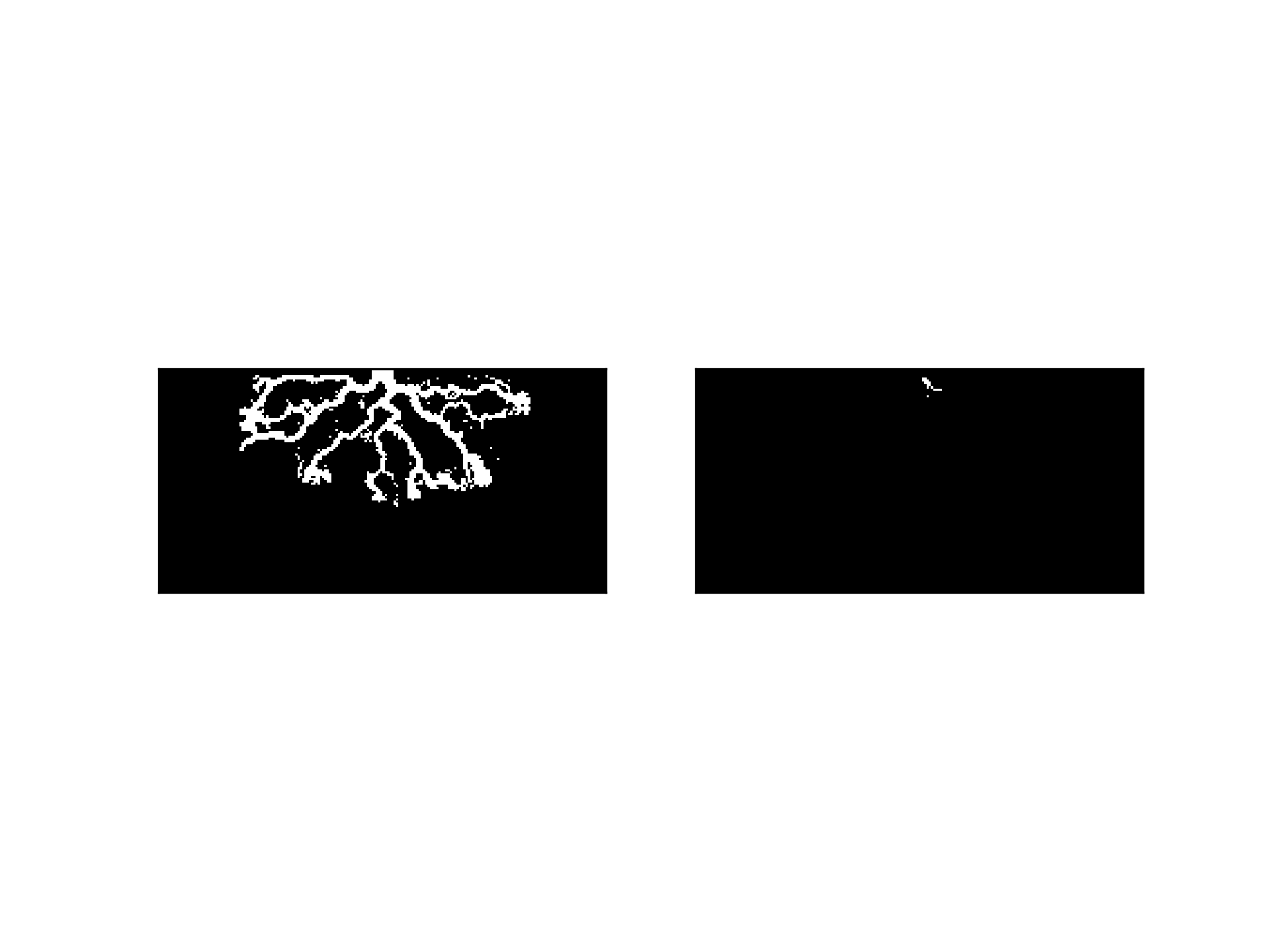
Initialize one FlowMask from velocity data and one from discharge data:
>>> import matplotlib.pyplot as plt
>>> from sandplover.mask import FlowMask
>>> from sandplover.sample_data.sample_data import golf
>>> golfcube = golf()
>>> fvmsk = FlowMask(golfcube["velocity"][-1, :, :], flow_threshold=0.3)
>>> fdmsk = FlowMask(golfcube["discharge"][-1, :, :], flow_threshold=4)
>>> fig, ax = plt.subplots(1, 2)
>>> fvmsk.show(ax=ax[0])
>>> fdmsk.show(ax=ax[1])
(
Source code,png,hires.png)
- __init__(*args, flow_threshold, cube_key='velocity', **kwargs)
Initialize the FlowMask.
Note
Needs docstring!
Methods
__init__(*args, flow_threshold[, cube_key])Initialize the FlowMask.
from_array(_arr)Create an ElevationMask from an array.
show([ax, title, ticks, colorbar])Show the mask.
trim_mask(*args[, value, axis, length])Replace a part of the mask with a new value.
Attributes
flow_thresholdBinary mask values as integer
Binary mask values.
Type of the mask (string)
shapeGeneric property for ThresholdValueMask threshold.
variables- __getitem__(var)
Implement slicing.
Return values directly from the mask. Supported variables are only ‘mask’ or ‘integer’.
- static from_array(_arr)
Create an ElevationMask from an array.
Note
Instantiation with from_array will attempt to any data type (dtype) to boolean. This may have unexpected results. Convert your array to a boolean before using from_array to ensure the mask is created correctly.
- Parameters:
_arr (
ndarray) – The array with values to set as the mask. Can be any dtype but will be coerced to boolean.
- property integer_mask
Binary mask values as integer
Important
integer_mask is a boolean array as
0and1(integers). It is not suitible for multidimensional array indexing; see alsomask.Read-only mask attribute.
- Type:
ndarray
- property mask
Binary mask values.
Important
mask is a boolean array (not integer). See also
integer_mask.Read-only mask attribute.
- Type:
ndarray
- property mask_type
Type of the mask (string)
- show(ax=None, title=None, ticks=False, colorbar=False, **kwargs)
Show the mask.
The Mask is shown in a matplotlib axis with imshow. The mask values are accessed from
integer_mask, so the display will show as0forFalseand1forTrue. Default colormap is black and white.Hint
Passes **kwargs to
matplotlib.imshow.- Parameters:
ax (
matplotlib.pyplot.Axes) – Which axes object to plot into.
- property threshold
Generic property for ThresholdValueMask threshold.
- trim_mask(*args, value=False, axis=1, length=None)
Replace a part of the mask with a new value.
This is sometimes necessary before using a mask in certain computations. Most often, this method is used to manually correct domain edge effects.
- Parameters:
*args (
BaseCubesubclass, optional) – Optionally pass a Cube object to the mask, and the dimensions to trim/replace the mask by will be inferred from the cube. In this case,axisandlengthhave no effect.value – Value to replace in the trim region with. Default is
False.axis – Which edge to apply the trim of
lengthto. Default is 1, the top domain edge.length – The length of the trim. Note that this is not the array index.
Examples